

SimpleCommerceSync
Stop copying invoices by hand. SimpleCommerceSync keeps HubSpot and QuickBooks perfectly in sync — invoices, payments, products, and quotes — so your sales team sells and your finance team closes the books on time.
5-Minute Setup
No Coding Required
Commerce Hub & Your QuickBooks
Sound Familiar?
"I spent 3 hours last Friday re-entering invoices."
Manual data entry isn't just boring — it's expensive. Every invoice you type twice is time you're not spending on work that actually matters.
"We found $12,000 in unbilled invoices during our audit."
When sales creates invoices in HubSpot but nobody tells accounting, revenue slips through the cracks. Reconciliation becomes a monthly nightmare.
"Our tax rates never match between systems."
HubSpot calls it one thing, QuickBooks calls it another. You've built spreadsheets just to track which tax code maps to what. There has to be a better way.
One Connection. Everything in Sync.
SimpleCommerceSync connects HubSpot and QuickBooks in minutes — then keeps them perfectly aligned forever. When your sales rep closes a deal in HubSpot, the invoice appears in QuickBooks automatically. When a customer pays, both systems update instantly.
No more double entry. No more reconciliation headaches. No more "wait, did that invoice sync?"
Everything You Need to Keep Your Data Clean
Invoice Sync
Every Invoice, Exactly Where It Belongs
When a HubSpot invoice is created, updated, or voided — QuickBooks reflects the change instantly. Line items, customers, tax rates, due dates — all synced without lifting a finger.
Highlights:
- Automatic customer matching (or creation)
- Line item SKU mapping to QuickBooks items
- Status filtering (sync only "Open" and "Paid" invoices)
- Void sync — delete in HubSpot, void in QuickBooks
Product Sync
One Product Catalog, Two Systems
Keep your HubSpot products and QuickBooks items in perfect alignment. Choose your source of truth — update in one place, sync everywhere.
Highlights:
- Bidirectional sync (HubSpot → QB or QB → HubSpot)
- Field mapping with transformations (name, SKU, price, description)
- Configurable source of truth
- Manual sync trigger for bulk updates
Payment Sync
Payments Applied, Books Updated
When customers pay invoices in HubSpot, SimpleCommerceSync automatically applies those payments to the corresponding QuickBooks invoices. No more hunting for which payment goes with which invoice.
Highlights:
- Automatic invoice matching
- Payment method sync
- Partial payment support
- Real-time QuickBooks balance updates
Quote Sync
From Quote to Estimate, Instantly
Turn HubSpot quotes into QuickBooks estimates automatically. When your sales team sends a quote, your finance team sees it immediately — no forwarding emails required.
Highlights:
- Bidirectional sync support
- Status-based filtering (sync only approved quotes)
- Void status sync
- Line item preservation
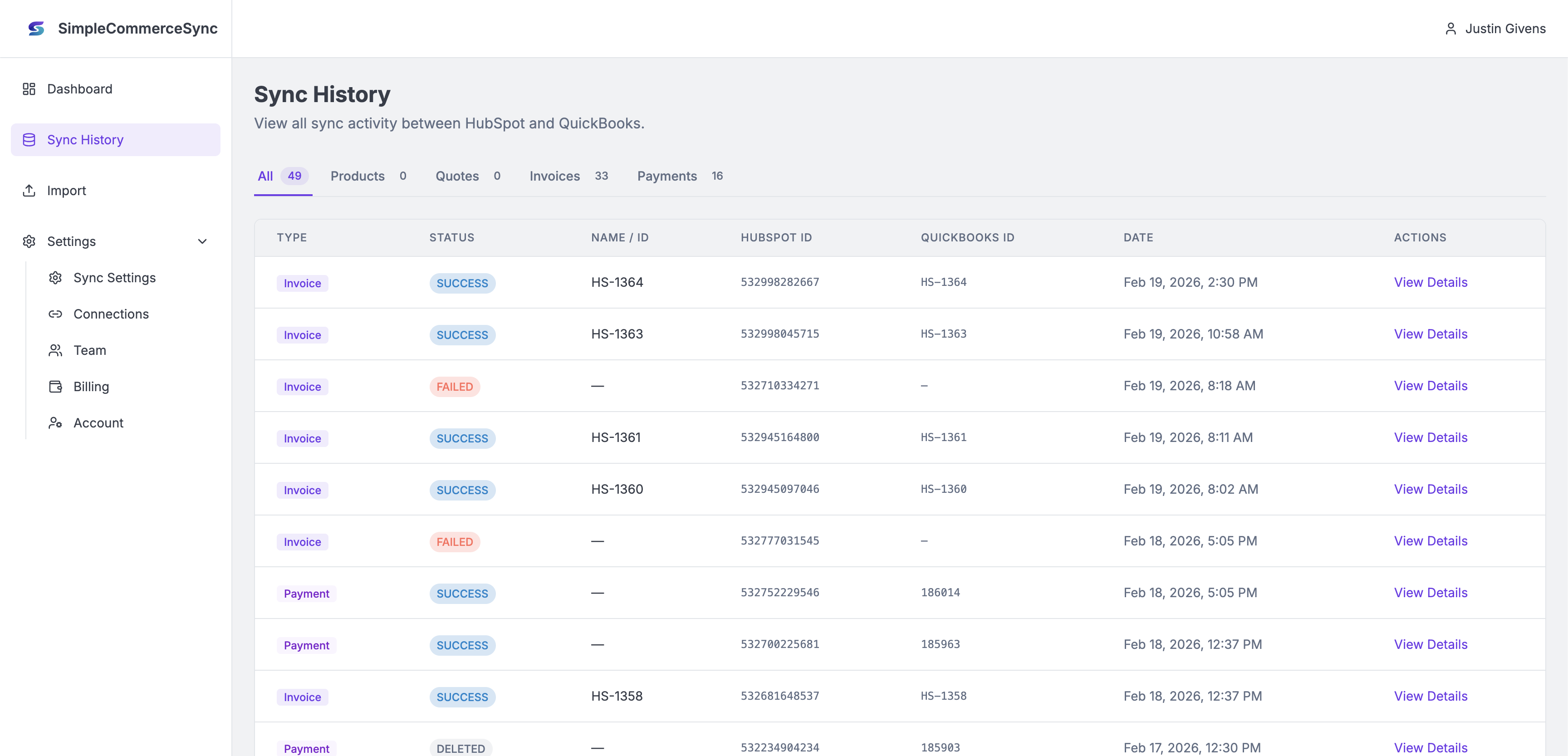
Simple Historical Syncing
Stopping taking the guess work out of what is syncing and quickly troubleshoot those errors with ease.
Tax Rate Mapping
Finally, Tax Codes That Make Sense
Map HubSpot tax rate groups to QuickBooks tax codes once — we'll handle the rest forever. No more spreadsheets, no more guessing, no more tax mismatches at month-end.
Highlights:
- Visual mapping interface
- Unmapped tax fallback options (use default, mark taxable, or fail safely)
- Per-line-item tax application
- One-click cache refresh for new tax codes
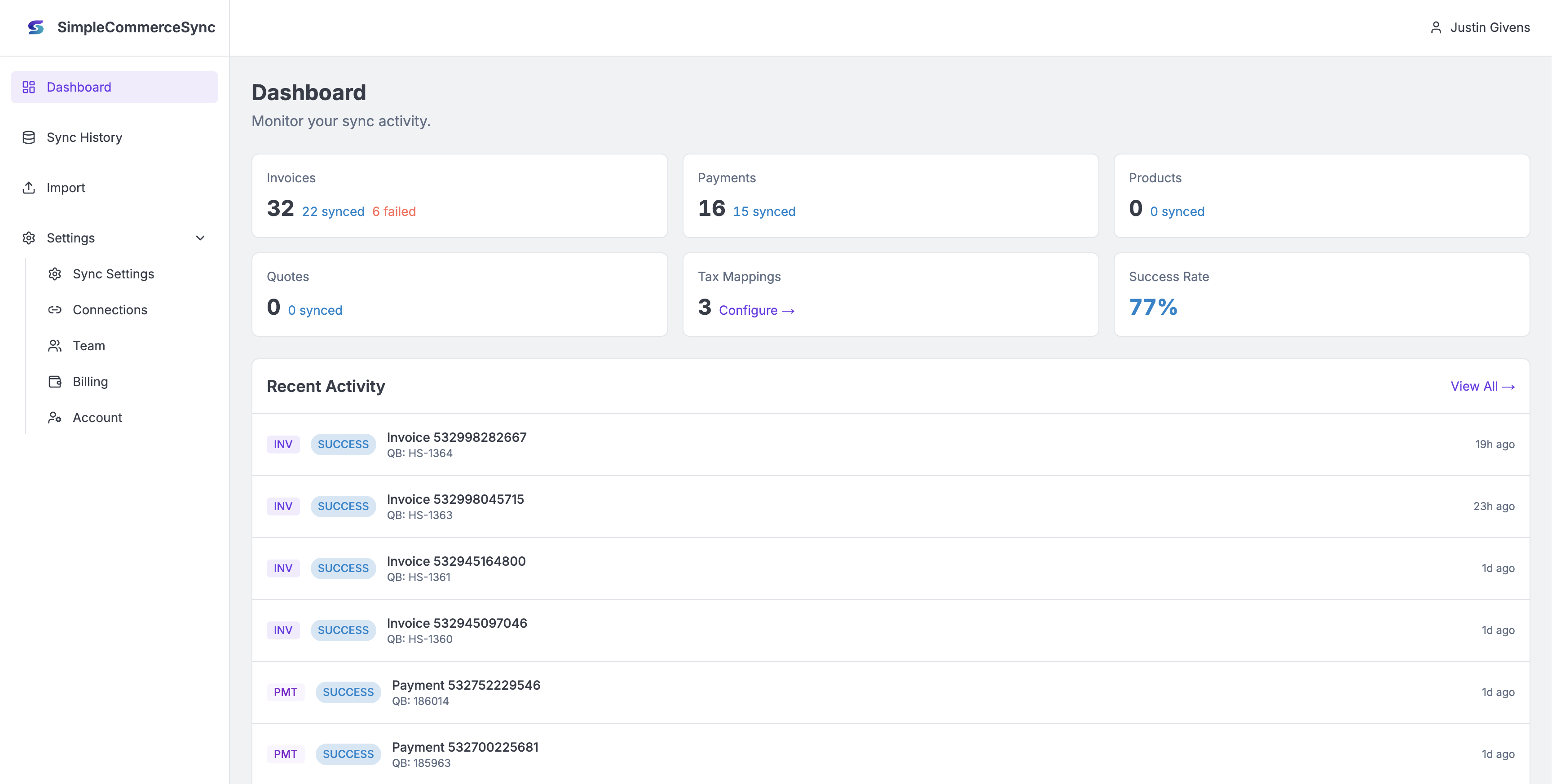
Real-Time Dashboard
Know What's Syncing, Always
See sync status at a glance. Track success rates, spot failures instantly, and retry with one click. Your dashboard shows exactly what's happening between your systems.
Highlights:
- Sync statistics by type (invoices, payments, products, quotes)
- Recent activity feed
- Connection status indicators
- Detailed error logs with stack traces
- One-click retry for failed syncs
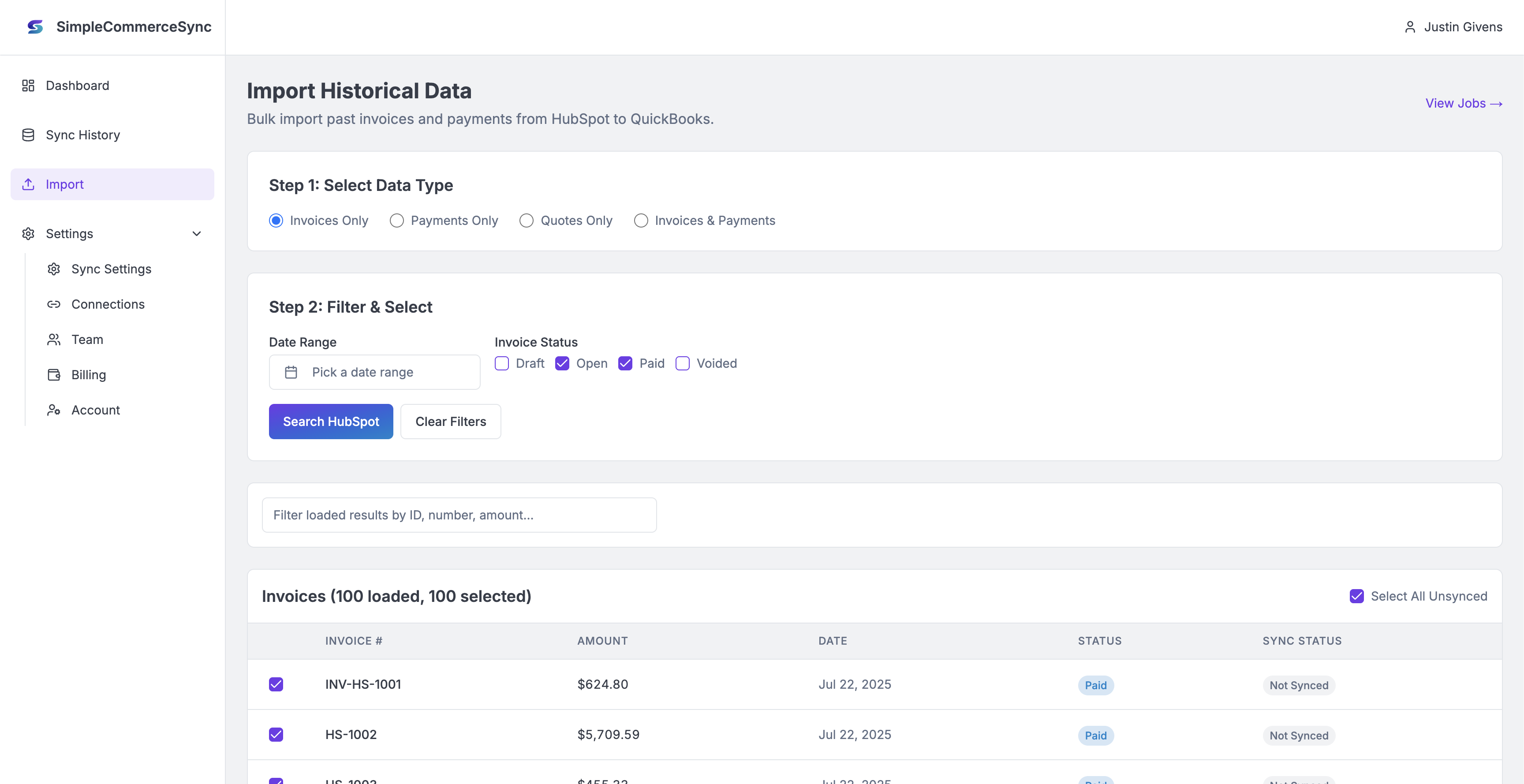
Bring back missed data
With our simple bulk importer, you can quickly and easily reimport your data from HubSpot back into QuickBooks
Bulk Import Wizard
Bring Your History Along
Already have months (or years) of invoices in HubSpot? Our import wizard lets you sync historical data on your schedule — with filtering, preview, and progress tracking.
Highlights:
- Date range filtering
- Status filtering (choose which invoices to import)
- Dry-run preview before syncing
- Progress tracking with retry for failed items
- Import invoices, payments, or both
Enterprise-Grade Security
Your Data, Protected
Two-factor authentication, encrypted tokens, webhook signature verification — SimpleCommerceSync is built with security-first engineering.
Highlights:
- TOTP two-factor authentication
- Recovery codes for account access
- HMAC-SHA256 webhook verification
- Encrypted OAuth token storage
- Multi-tenant data isolation
Simple Pricing
Starter
Try it out for free
-
5 invoices /month
-
5 quotes /month
-
5 payments /month
-
5 products /month
-
Tax configuration
-
One User Account
Pro
Unlimited everything.
-
Unlimited invoices
-
Unlimited quotes
-
Unlimited payments
-
Unlimited products
-
Tax configuration
-
Unlimited User Accounts